OpenClaw Alternatives Compared: Self-Hosted vs Managed AI Agents (2026)
Not sure if you should self-host OpenClaw or use a managed AI agent platform? Compare costs, security, team features, and setup to find the right approach.
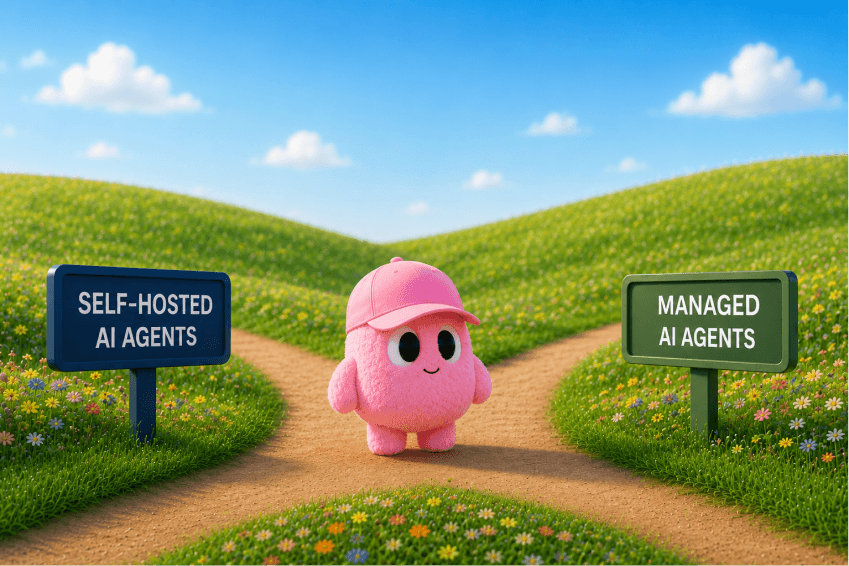
OpenClaw vs Managed AI Agent Platforms: Which Is Right for Your Team?
You've been using AI tools for a while now.
Maybe you've outgrown the one-size-fits-all ChatGPT wrapper, or you're trying to give your team access to an agent without everyone having to set up their own environment.
The question you might have is do I self-host something like OpenClaw and own the infrastructure, or do I use a managed platform that just works out of the box?
Both are legitimate paths.
OpenClaw gives technical users full control, every config, every integration, every data point stays on your server.
Managed platforms like Duet trade that control for speed, collaboration, and zero maintenance.
This comparison breaks down exactly when each choice makes sense, what you give up with each, and which one actually fits the way your team works.
Quick Summary
Looking for OpenClaw alternatives? This comparison breaks down self-hosting OpenClaw vs using a managed AI agent platform like Duet, covering security, setup time, team collaboration, and cost.
Questions this page answers
- Best OpenClaw alternatives for teams
- OpenClaw vs managed AI agent platforms
- Should I self-host OpenClaw or use a managed platform?
- OpenClaw vs Duet: which is better for teams?
- Self-hosted vs managed AI agents: what's the difference?
OpenClaw is an open-source AI agent platform you host yourself, offering full control and a 13,000+ skill ecosystem.
Managed platforms are cloud-hosted services with built-in security, multi-user collaboration, and zero maintenance.
Choose OpenClaw for solo technical work where you need complete customization. Choose managed platforms for teams, non-technical users, or when security compliance and 24/7 uptime are requirements.
What is OpenClaw?
OpenClaw is an open-source AI agent platform with ~140,000 GitHub stars. You download it, run it locally or on your own server, and interact through a messaging-app interface.
Key characteristics:
- Self-hosted: You provide the infrastructure
- Single-user by default: Built for individual workflows
- Open source: Full code access, community contributions
- 13,000+ skills: Community-built integrations and tools
- Free core platform: You pay only for AI model API costs OpenClaw gives technical users complete control. You can modify source code, add custom integrations, and keep all data on your own infrastructure.
What are Managed AI Agent Platforms?
Managed platforms are cloud-hosted services that run AI agents for you. They handle infrastructure, security, updates, and multi-user access.
Common features:
- Cloud-hosted: No local setup required
- Multi-user: Built for team collaboration
- Pre-configured integrations: Connect services with OAuth
- Automatic updates: Security patches and feature releases
- Support and SLAs: Enterprise-grade uptime guarantees Managed platforms trade customization for convenience. You get production-ready infrastructure without DevOps work.
OpenClaw vs Managed Platforms
When Should You Choose OpenClaw?
OpenClaw is the right choice in specific scenarios:
You're a solo technical user. If you're comfortable with command-line tools, environment variables, and basic server management, OpenClaw gives you maximum flexibility.
You need full control. Regulations or company policy require all data to stay on your infrastructure. You can run OpenClaw in your own VPC or on-premises.
You value open source. You want to inspect code, contribute to the project, or avoid vendor lock-in with proprietary platforms.
You're building custom integrations. Your workflow requires deeply customized tools that don't exist in pre-built skill libraries.
Cost optimization matters. For solo users, OpenClaw's free core means you only pay for AI API calls and your chosen infrastructure.
OpenClaw Cost Breakdown
For a solo developer:
- Platform: Free
- AI API: $20-100/month (Anthropic, OpenAI)
- Hosting: $5-50/month (Digital Ocean, AWS)
- Total: $25-150/month
When Should You Choose a Managed Platform?
Managed platforms make sense for different use cases:
You're working in a team. Multiple people need to collaborate with the same agent, share context, and see each other's work. Built-in multi-user support is table stakes.
You're non-technical. You want AI agents but don't want to manage servers, configure OAuth, or debug networking issues. Click-to-connect integrations matter.
Security and compliance are requirements. You need SOC 2, GDPR compliance, role-based access control, and audit logs out of the box.
You need 24/7 uptime. Your agent handles customer support, monitors production systems, or runs critical workflows. Downtime costs money.
You value time over cost. Setup time, maintenance burden, and troubleshooting have opportunity cost. Paying for managed infrastructure frees your team to build.
Managed Platform Cost Breakdown
Typical pricing for a team of 5:
- Platform: $50-200/user/month
- AI API: $100-500/month (shared across team)
- Total: $350-1,500/month
Cost Comparison: Is OpenClaw Actually Cheaper?
For solo users, yes. For teams, it depends.
Solo User (1 person)
OpenClaw: $25-150/month
Managed Platform: $100-300/month
OpenClaw saves $75-150/month. If you're technical and working alone, the savings add up.
Small Team (3-5 people)
OpenClaw: $300-800/month (infrastructure + setup labor)
Managed Platform: $350-1,500/month
OpenClaw might look cheaper, but factor in:
- Initial setup: 8-12 hours engineering time
- Monthly maintenance: 2-4 hours/month
- Multi-user configuration: Custom auth, shared state At $100/hour engineering rate, setup costs $800-1,200. Monthly maintenance adds $200-400. First-month true cost: $1,300-2,600.
Managed platforms break even or win for teams.
Enterprise (10+ people)
Managed platforms typically win. Enterprise OpenClaw deployments require:
- Dedicated DevOps for maintenance
- Custom SSO integration
- High-availability infrastructure
- Security audits and compliance work Most enterprises choose managed platforms to avoid this overhead.
Security: OpenClaw vs Managed Platforms
OpenClaw gives you control but also responsibility. You must:
- Keep dependencies updated
- Configure secure authentication
- Monitor for vulnerabilities
- Implement access controls Managed platforms handle this by default.
Team Collaboration: Where OpenClaw Falls Short
OpenClaw was built for single-user workflows. Teams hit limitations:
No built-in multi-user access. Multiple people can't interact with the same agent instance simultaneously without custom engineering.
No permission controls. Everyone who accesses your OpenClaw instance has full access to all conversations, integrations, and data.
No shared context. When one teammate adds an integration or trains the agent, others don't automatically benefit.
No audit trail. You can't see who asked the agent to do what, when, or why.
These aren't OpenClaw design flaws. The project optimizes for individual power users, not team collaboration.
Persistence and Uptime
OpenClaw: Runs on your laptop or server. If your machine sleeps or loses internet, the agent stops. You're responsible for uptime.
Managed platforms: Cloud-hosted with redundancy. The agent stays online 24/7, continues long-running tasks, and handles scheduled jobs even when you're offline.
For background tasks like monitoring GitHub, processing emails, or running scheduled reports, managed platforms have a structural advantage.
Skill Ecosystem: Quality vs Quantity
OpenClaw: 13,000+ community-contributed skills. Massive selection, variable quality. You can install any skill or build your own.
Managed platforms: 100-10,000+ pre-built integrations. Fewer options, but each one is tested, documented, and maintained by the platform.
Trade-off: OpenClaw gives you more choice. Managed platforms give you more reliability.
Maintenance Burden
OpenClaw Monthly Maintenance
- Update dependencies (npm, pip, system packages)
- Apply security patches
- Monitor resource usage (CPU, memory, disk)
- Backup conversation history and configurations
- Troubleshoot integration breakages when APIs change Estimate: 2-4 hours/month for a solo user, 10-20 hours/month for team deployments.
Managed Platform Monthly Maintenance
- None. Provider handles updates, scaling, and monitoring. If your time is worth $100/hour, OpenClaw's "free" platform costs $200-2,000/month in labor.
Real-World Use Cases
Use Case 1: Solo Founder Building an MVP
Scenario: Technical founder, building a SaaS product, needs AI help with code, research, and operations.
Best Choice: OpenClaw
Why: Solo user, technical, cost-sensitive, needs deep customization. OpenClaw's 13,000 skills and full code access enable rapid experimentation.
Use Case 2: 8-Person Engineering Team
Scenario: Team needs shared AI assistant for code reviews, documentation, oncall support, and sprint planning.
Best Choice: Managed platform
Why: Multi-user collaboration, always-on availability, team members have varying technical skill. Managed platform's built-in access controls and 24/7 uptime are critical.
Use Case 3: Enterprise with Compliance Requirements
Scenario: Financial services company, needs AI agents but must meet SOC 2, GDPR, and data residency requirements.
Best Choice: Managed platform (enterprise tier) or private OpenClaw deployment
Why: If a managed platform offers data residency and compliance certifications, it's faster to deploy. Otherwise, private OpenClaw with dedicated security engineering.
Use Case 4: Open Source Contributor
Scenario: Developer who wants to build custom skills and contribute to the agent ecosystem.
Best Choice: OpenClaw
Why: Full source code access enables contribution. OpenClaw's open-source nature aligns with contributor values.
Duet: OpenClaw for Teams
If you like OpenClaw's power but need team collaboration, consider Duet.
Duet runs in the cloud like a managed platform but maintains OpenClaw's extensibility. Multiple team members can interact with the same AI agent in shared channels. The agent stays online 24/7, handles long-running tasks, and includes built-in security with user permissions.
Key differences from OpenClaw:
-
Multi-user by default: Team channels, DMs, threads
-
Persistent sessions: Agent runs on cloud infrastructure, never sleeps
-
Zero setup: No local installation or server management
-
Built-in integrations: 10,000+ apps via Composio, plus custom skills Key differences from typical managed platforms:
-
Developer-friendly: Full MCP server support, custom skills, code access
-
Open architecture: Build sandbox apps, deploy tools, extend functionality
-
AI-native: Built from the ground up for AI agent workflows Learn more at duet.chat.
How to Choose: Decision Framework
Ask yourself these questions:
Are you working solo or in a team?
- Solo: OpenClaw becomes viable
- Team (3+ people): Managed platform saves time
Are you technical or non-technical?
- Technical: OpenClaw's setup is manageable
- Non-technical: Managed platform removes complexity
Do you need 24/7 uptime?
- Yes: Managed platform (or cloud-hosted OpenClaw with monitoring)
- No: Local OpenClaw works
What's your monthly budget?
- Under $200/month: OpenClaw wins for solo users
- Over $500/month: Managed platform's labor savings matter
Do you need compliance certifications?
- Yes: Managed platform (unless you have security team)
- No: Either option works
How important is time-to-value?
- Critical (need it today): Managed platform (2-minute signup)
- Flexible (can spend a weekend): OpenClaw (30-60 minute setup)
Migration: Can You Switch Later?
OpenClaw to managed platform: Relatively easy. Export conversation history, reconnect integrations via OAuth.
Managed platform to OpenClaw: Harder. Most platforms don't export custom configurations or agent training. You'll rebuild integrations.
Between managed platforms: Varies. Some offer import tools, others require manual migration.
Start with the option that matches your current needs. Switching is possible but costs time.
FAQ
Is OpenClaw safe to use?
Yes, if you maintain it properly. OpenClaw is open source, so security researchers can audit the code. However, you're responsible for:
- Keeping dependencies updated
- Securing your hosting environment
- Protecting API keys and credentials
- Configuring authentication Managed platforms handle these tasks for you.
Can OpenClaw work for teams?
Technically yes, but it requires engineering work. OpenClaw is designed for single users. Multi-user setups need:
- Custom authentication system
- Shared state management
- Access control and permissions
- Centralized hosting Most teams find managed platforms easier.
How does OpenClaw compare to Duet?
OpenClaw is self-hosted and single-user. Duet is cloud-hosted and multi-user.
Choose OpenClaw if you're a solo technical user who wants full control. Choose Duet if you're working in a team and need collaboration features, 24/7 uptime, and zero maintenance.
What's the best AI agent platform for business?
Depends on business size and needs:
- Solo technical founder: OpenClaw (cost-effective, flexible)
- Small team (3-10 people): Managed platform like Duet (collaboration, reliability)
- Enterprise (50+ people): Enterprise-tier managed platform (compliance, support, SSO)
Can I run OpenClaw in the cloud for 24/7 uptime?
Yes. Deploy OpenClaw to a cloud VM (AWS, Digital Ocean, Azure) and keep it running.
You'll need:
- Server provisioning and configuration
- Process management (systemd, Docker)
- SSL certificates for secure access
- Monitoring and alerting This setup costs $20-100/month in infrastructure plus engineering time.
For a detailed guide, see How to Host OpenClaw in the Cloud.
Do managed platforms support custom integrations?
Most do, through APIs or plugin systems. Check documentation for:
- MCP server support (Model Context Protocol)
- Custom skill APIs
- Webhook integrations
- CLI or SDK for automation Managed platforms balance ease-of-use with extensibility.
Is OpenClaw better than Claude Code?
Different tools for different jobs. Claude Code is an AI coding assistant built into your terminal. OpenClaw is a general-purpose AI agent platform.
Use Claude Code for software development. Use OpenClaw (or a managed platform) for operations, research, and cross-tool automation.
For a detailed comparison, see Claude Code vs Cursor vs Codex.
Recommendation For You
Choose OpenClaw if:
-
You're a solo technical user
-
You need full control and customization
-
Cost is your primary constraint
-
You value open source and community Choose a managed platform if:
-
You're working in a team (3+ people)
-
You need 24/7 uptime and reliability
-
Security compliance is required
-
You want to focus on work, not infrastructure Both are legitimate choices. OpenClaw is powerful for individual power users. Managed platforms are built for teams and production reliability.
Match the tool to your situation. A solo founder on a $1,000/month runway has different needs than a 20-person engineering team at a Series A startup.
Choose based on your current reality, not aspirations. You can always switch later.